
ZZPK Login
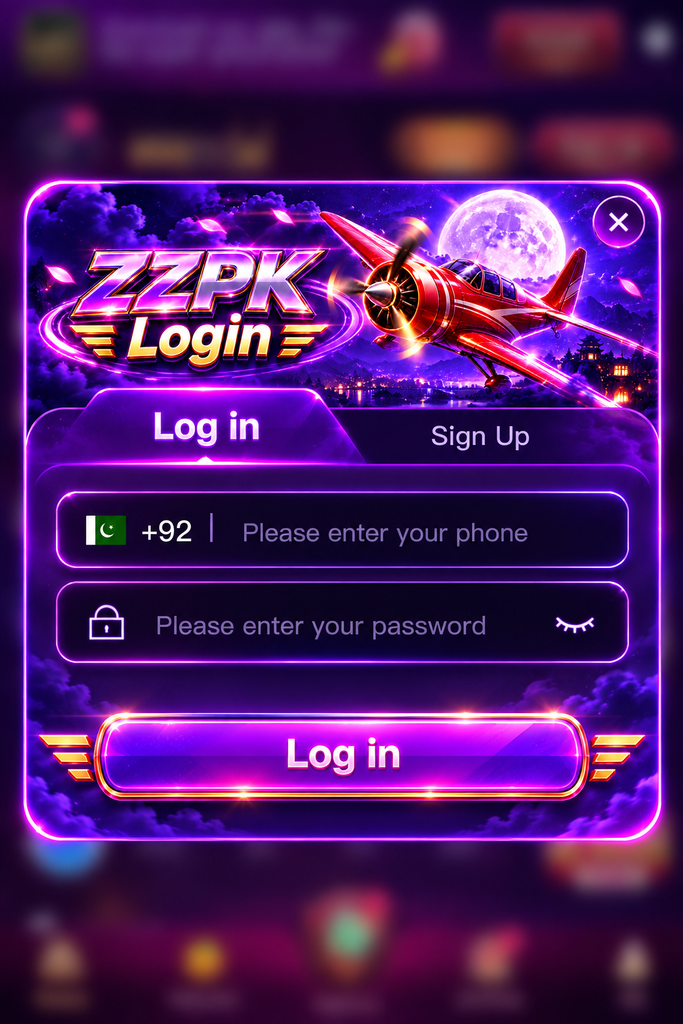
ZZPK Login – Simple Account Access for Pakistani Players
The ZZPK Login page is designed to give Pakistani mobile users a straightforward way to access their account and return to casual puzzle games without going through unnecessary steps.
The login interface focuses on the information users actually need: a Pakistan phone number, password, account registration option, and clear access controls. This makes it particularly practical for players who mainly use Android phones and prefer a simple mobile experience.
Unlike the ZZPK APK page, which focuses on installation and Android compatibility, this page is about account access, login security, password handling, and solving common sign-in problems.
How the ZZPK Login System Works
The login screen uses a familiar mobile account structure.
Users enter their Pakistan phone number with the +92 country code, provide the password connected to the account, and then continue through the login button.
A typical login flow includes:
- Pakistan country code +92
- Registered mobile number
- Account password
- Password visibility control
- Login and Sign Up options
The layout is useful for mobile users because there are only a few fields to complete before entering the platform.
Entering a Pakistan Phone Number Correctly
One of the most common login problems is incorrect phone-number formatting.
When the ZZPK Login screen already displays +92, users should pay attention to how the remaining number is entered.
For example, if an interface automatically handles the Pakistan country code, there is usually no need to type +92 again in the phone field.
Users should also check for:
- Extra spaces
- Missing digits
- Accidentally repeated country codes
- A phone number different from the one used during registration
The exact format required should always follow the instructions shown on the current login screen.
Password Entry Without Unnecessary Errors
Passwords can be difficult to enter correctly on smaller smartphone screens.
Before repeatedly attempting to sign in, check whether the password contains uppercase letters, numbers, or special characters that may have been entered incorrectly.
The visibility icon beside the password field can help users confirm what they have typed before submitting the form.
However, avoid displaying a password when other people can see the screen.
Check the Keyboard Language
Pakistani users may switch between English, Urdu, and other keyboard layouts on the same device.
If a password contains English characters, make sure the correct keyboard layout is active before typing.
Watch for Automatic Spaces
Some mobile keyboards automatically insert spaces or make corrections.
A single unwanted character can cause a valid password to be rejected.
ZZPK Login and Registration Are Different
New players cannot normally sign in with a phone number that has never been registered.
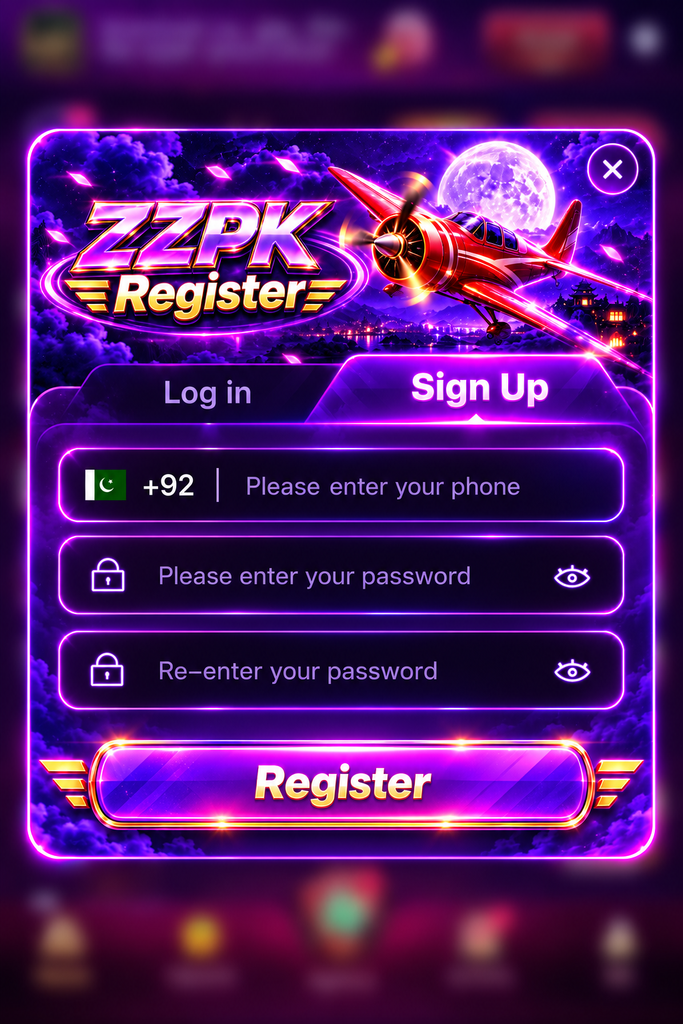
The Sign Up section is intended for creating an account, while the login section is for returning users.
On the registration screen, users may be asked to provide:
- A Pakistan mobile number
- A new password
- Password confirmation
The confirmation field helps reduce mistakes when creating a password for the first time.
After registration has been completed, the same account details should be used when returning through ZZPK Login.
Why Login May Fail on Mobile
A failed sign-in does not always mean the account has a serious problem.
Several simple issues can prevent successful access.
Incorrect Phone Number
Check that you are using the same mobile number connected to the account.
If you have multiple SIM cards, it is easy to enter a different number by mistake.
Wrong Password
Retype the password carefully rather than repeatedly submitting the same entry.
If a password recovery feature is available on the current platform version, use it rather than guessing many different passwords.
Slow or Unstable Internet
A weak connection may prevent the login request from reaching the server correctly.
Users on mobile data can try:
- Moving to an area with a stronger signal
- Switching between Wi-Fi and mobile data
- Waiting briefly and trying again
- Disabling and reconnecting the network
This is particularly useful when the page loads but the login button does not respond normally.
Outdated App or Browser
Older software can occasionally cause display or compatibility problems.
If you use the Android application, check whether a newer official version is available.
Browser users should keep Chrome or their preferred mobile browser updated.
A Better Login Experience on Lower-End Phones
Not every user in Pakistan has a flagship smartphone, so login pages should remain usable on devices with limited memory and storage.
If the interface feels slow, try closing video apps, social media platforms, and unnecessary browser tabs before opening zzpk.
Restarting the phone can also clear temporary memory and improve responsiveness.
Users do not normally need to reinstall an application simply because one login attempt was slow.
Account Security Matters More Than Fast Access
Convenience should not come at the expense of account security.
Never share your ZZPK password, verification information, or private account details with another person claiming they can log in on your behalf.
A few basic habits are useful:
- Create a password that is not used for important email or banking accounts
- Avoid saving passwords on shared phones
- Do not send verification codes to strangers
- Log out when using a device that does not belong to you
- Avoid entering account details on copied or unfamiliar login pages
A legitimate login screen should not require unrelated personal information simply to access a casual gaming account.
Using ZZPK Login on Mobile Data
Many Pakistani players access mobile entertainment through cellular networks rather than permanent Wi-Fi.
The login process itself usually requires relatively little data, although the games and other content loaded afterward may use more.
If mobile data is limited, users can reduce unnecessary consumption by avoiding repeated refreshes and large downloads while connected to a restricted package.
Stable connectivity is generally more important than connection speed during account authentication.
Login Through App or Browser?
Both methods can be useful depending on how frequently the platform is used.
| Access Method | App Login | Browser Login |
|---|---|---|
| Opening access | Direct from app icon | Requires browser |
| Installation | Required | Not required |
| Storage use | Uses device storage | Very little |
| Suitable for | Regular players | Occasional access |
| Login process | Mobile-focused | Browser-based |
| Updates | App may need updating | Page updates automatically |
Regular users may prefer direct app access, while people who do not want additional applications on their phone can use a browser when web access is supported.
What to Check Before Trying Again
Repeatedly pressing the login button rarely solves an account problem.
Instead, check the basic details first:
- Phone number is correct
- +92 has not been entered twice
- Password has no typing mistakes
- Internet connection is working
- App or browser is current
- Device date and time are correct
Correct device time can matter for some online authentication systems, especially when secure sessions are created.
Keeping Login Details Private on Shared Devices
Shared phones are still common in many households.
If several people use the same device, avoid allowing the browser to automatically save sensitive account credentials unless you are comfortable with other users accessing them.
After finishing a session, use the logout option rather than simply closing the screen.
This gives better protection than assuming the account has been disconnected automatically.
Frequently Asked Questions
Why can’t I access ZZPK Login?
Check your phone number, password, internet connection, and whether the app or browser is working normally. Incorrect account details and unstable connections are common causes.
Do I need +92 when logging in from Pakistan?
If +92 already appears automatically beside the phone field, follow the format requested by the login interface and avoid entering the country code twice.
What should new users do instead of logging in?
New users should use the zzpk registration option first. After creating an account successfully, the registered phone number and password can be used for future access.
Is it safe to save my ZZPK password on my phone?
It can be convenient on a personal device, but saving credentials on a shared or public device is not recommended.